
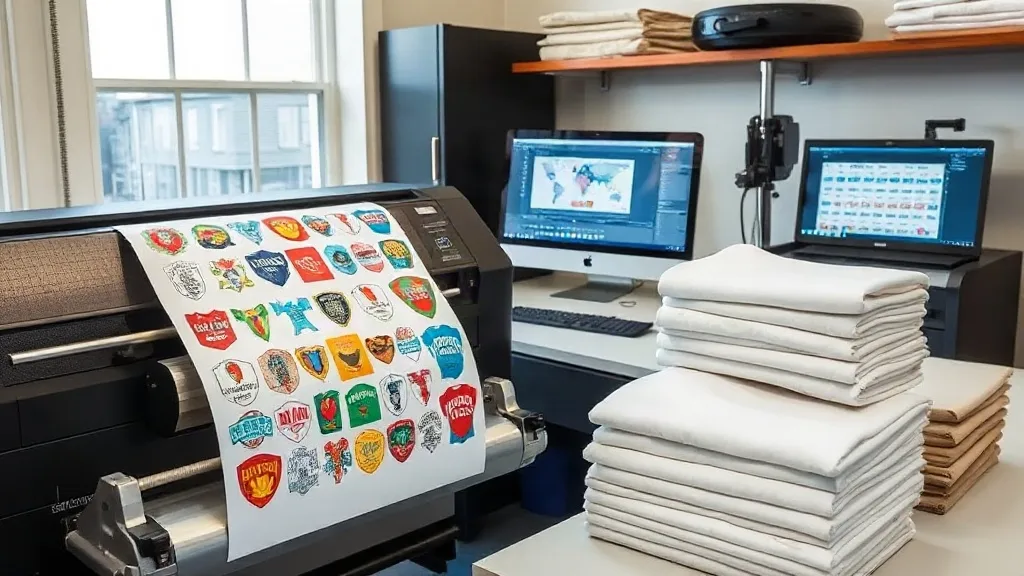
If you run a print shop, you know that efficiency and quality are the twin pillars of a profitable operation. When it comes to decorating apparel, shaka wear blanks have become a go-to choice for many shops thanks to their consistent quality and wide range of styles. But even the best blanks need a smart printing strategy to maximize your throughput and minimize waste. That's where a DTF Gangsheet Builder comes into play. This tool is transforming the way shops approach direct-to-film printing, and in this guide, we'll dive deep into how you can leverage it specifically for Shaka Wear garments.
Why Shaka Wear Blanks Are a Favorite for DTF Printing
Before we get into the nitty-gritty of gangsheet building, let's quickly cover why Shaka Wear has earned its place in so many print shops. These blanks are known for their soft hand feel, durable construction, and consistent sizing. For DTF printing, the fabric composition matters a lot. Shaka Wear offers a variety of blends, from 100% cotton to poly-cotton mixes, each with its own characteristics when it comes to adhesion and color vibrancy. The key is to understand how your DTF transfers will interact with these fabrics so you can achieve a smooth, long-lasting finish.
One of the biggest advantages of Shaka Wear is their color range. From classic white and black to trendy heathers and neons, you have a palette that can bring any design to life. But with great variety comes the need for a system that keeps your production organized. That's where the DTF Gangsheet Builder shines.
What Is a DTF Gangsheet Builder?
If you're new to the term, a gangsheet is essentially a large sheet of DTF film that contains multiple designs printed together. Instead of printing each design individually, you arrange them on a single sheet to maximize the use of your film and ink. The DTF Gangsheet Builder is a software tool that helps you lay out these designs efficiently. You can upload your artwork, set the dimensions, and the builder will automatically nest the designs to minimize wasted space. This not only saves on materials but also speeds up the printing process.
For shops that print a lot of Shaka Wear apparel, using a gangsheet builder can be a game-changer. Imagine you have a batch of 50 shirts with 10 different designs. Without a gangsheet, you'd be running 10 separate print jobs, each with its own setup and waste. With a gangsheet, you can combine all 10 designs onto one sheet, print them in one go, and then apply them to the shirts. The time savings alone are significant, but the material savings add up quickly too.
How to Use a DTF Gangsheet Builder with Shaka Wear Blanks
Now that you understand the basics, let's walk through the process of integrating a gangsheet builder into your Shaka Wear printing workflow. The steps below assume you have a DTF printer and a heat press, and you're ready to scale your production.
Step 1: Choose the Right Shaka Wear Blanks
Not all Shaka Wear blanks are created equal when it comes to DTF printing. For best results, opt for blanks with a high cotton content or a poly-cotton blend that is specifically designed for DTF. Shaka Wear's 100% cotton tees are excellent for vibrant prints, while their poly blends offer a softer feel and better stretch. Consider the end use: if you're printing for a sporty event, a poly blend might be more appropriate; for a retail line, a heavier cotton tee could be the way to go.
Step 2: Prepare Your Artwork
Before you even open the gangsheet builder, make sure your designs are print-ready. This means they should be in a high-resolution format (300 DPI or higher), with transparent backgrounds if necessary. Also, consider the size of each design relative to the shirt. A common mistake is to print a design too large for the placement area, leading to wasted transfers. Use the builder's preview feature to check the layout before printing.
Step 3: Set Up Your Gangsheet in the Builder
Open your DTF Gangsheet Builder and start a new project. Enter the dimensions of your DTF film roll or sheet. Most shops use a standard width of 13 or 24 inches, but the builder can accommodate custom sizes. Then, upload your designs. The software will automatically arrange them to minimize empty space. You can also manually adjust the placement if you have specific requirements, such as keeping certain designs together for a particular order.
Step 4: Print and Cure the Gangsheet
Once your layout is set, send the gangsheet to your DTF printer. Ensure your printer is loaded with high-quality DTF film and ink. After printing, apply the adhesive powder and cure it according to the manufacturer's instructions. This step is critical for the durability of the transfer. A properly cured gangsheet will have a smooth, even coating that adheres well to the fabric.
Step 5: Press onto Shaka Wear Blanks
Now comes the fun part: transferring the designs onto your Shaka Wear blanks. Set your heat press to the recommended temperature and pressure for DTF transfers (usually around 300°F to 325°F for 10-15 seconds). Place the transfer on the shirt, cover with a protective sheet, and press. Peel the film while it's still hot or cold, depending on the film type. Repeat for each shirt, using the pre-printed gangsheet to streamline the process.
Benefits of Using a DTF Gangsheet Builder for Shaka Wear Printing
Still on the fence about adopting a gangsheet builder? Here are some compelling reasons why it's worth the investment.
- Cost Savings: By maximizing the use of film and ink, you reduce waste and lower your per-unit cost. This is especially important when printing on premium blanks like Shaka Wear, where margins can be tight.
- Time Efficiency: Printing multiple designs in one pass saves hours of setup and printing time. You can fulfill larger orders faster and take on more jobs.
- Consistency: A gangsheet ensures that all transfers are printed under the same conditions, leading to consistent quality across the batch. This is crucial for maintaining customer satisfaction.
- Scalability: As your shop grows, a gangsheet builder allows you to scale up production without proportionally increasing labor or material costs.
Common Mistakes to Avoid
Even with a great tool, mistakes can happen. Here are a few pitfalls to watch out for when using a DTF Gangsheet Builder with Shaka Wear blanks.
- Overcrowding the Sheet: While it's tempting to squeeze as many designs as possible, leave some breathing room between them. This prevents ink bleeding and makes cutting easier.
- Ignoring Fabric Compatibility: Not all Shaka Wear blanks are ideal for DTF. Always test a sample before committing to a large order. Some fabrics may require different pressing parameters.
- Neglecting Maintenance: Your DTF printer and heat press need regular maintenance to perform at their best. A clogged printhead or uneven pressure can ruin an entire gangsheet.
- Forgetting About Color Profiles: Ensure your printer's color profile is calibrated for the film you're using. Otherwise, the colors on the shirt may not match your design.
Case Study: How One Shop Doubled Output with a Gangsheet Builder
To illustrate the impact, consider a small print shop that specializes in custom apparel for local sports teams. They were using Shaka Wear blanks exclusively due to their durability and comfort. However, they struggled to keep up with orders during peak seasons. After implementing a DTF Gangsheet Builder, they were able to combine multiple team designs onto a single sheet. The result? They cut their printing time by 40% and reduced film waste by 25%. Within three months, they doubled their output without hiring additional staff. The owner credits the gangsheet builder as the key to their growth.
Choosing the Right DTF Gangsheet Builder
Not all gangsheet builders are created equal. When selecting a tool, look for features like automatic nesting, compatibility with your printer, and an intuitive interface. Some builders offer advanced options like variable data printing, which can be useful if you're printing personalized items. Also, consider the customer support and updates provided by the software company. A reliable builder will save you time and frustration in the long run.
Integrating Gangsheet Printing into Your Workflow
To get the most out of your gangsheet builder, integrate it seamlessly into your existing workflow. For example, you can design your artwork in your preferred graphic design software, then export it directly to the builder. Set up templates for common Shaka Wear sizes and placements to speed up the layout process. Train your staff on the software so everyone can use it efficiently. And don't forget to keep a log of your gangsheet layouts; this can help you identify patterns and optimize future sheets.
Frequently Asked Questions
Can I use a DTF Gangsheet Builder with any DTF printer?
Most gangsheet builders are compatible with a wide range of DTF printers, but it's always best to check the software's specifications. Some builders may have specific requirements for file formats or connectivity. If you're unsure, contact the software provider or your printer manufacturer for guidance.
How do I ensure my Shaka Wear blanks are DTF-ready?
Shaka Wear blanks are generally DTF-friendly, but it's important to pre-treat them if necessary. Some fabrics may have a coating that inhibits adhesion. Always test a small area first. Additionally, make sure the blanks are clean and free of wrinkles before pressing.
What's the maximum size of a gangsheet?
The maximum size depends on your DTF printer's capabilities and the film roll width. Common widths are 13, 17, and 24 inches. The length can be as long as your printer allows, but keep in mind that longer sheets may be harder to handle during powder application and curing.
How do I price products when using a gangsheet builder?
Pricing should factor in material costs, labor, and overhead. With a gangsheet builder, your material cost per unit decreases, so you can either increase your profit margin or offer competitive pricing. Use the builder's data to calculate the exact cost per design and adjust your pricing strategy accordingly.
Is a DTF Gangsheet Builder worth the investment for a small shop?
Absolutely. Even for small shops, the time and material savings can quickly offset the cost of the software. Many builders offer subscription models or one-time purchases, making them accessible. Start with a free trial if available to see the impact on your workflow.
Final Thoughts
Incorporating a DTF Gangsheet Builder into your Shaka Wear printing process is a smart move for any print shop looking to boost efficiency and quality. By following the steps and tips outlined in this guide, you can streamline your production, reduce waste, and deliver outstanding results to your customers. Remember, the key is to choose the right blanks, prepare your artwork properly, and use the builder to its full potential. With a little practice, you'll wonder how you ever managed without it.